
Enquiries & leads
Keep every customer enquiry moving.
A missed call, a message through your public profile, or a walk-in enquiry becomes a lead the moment it happens, with the customer's details and what they asked about attached, so it stays visible until someone follows up.
- Missed calls (Android)
- Queued automatically
- Who sends the reply
- You do, always
- Stays visible until
- You act on it
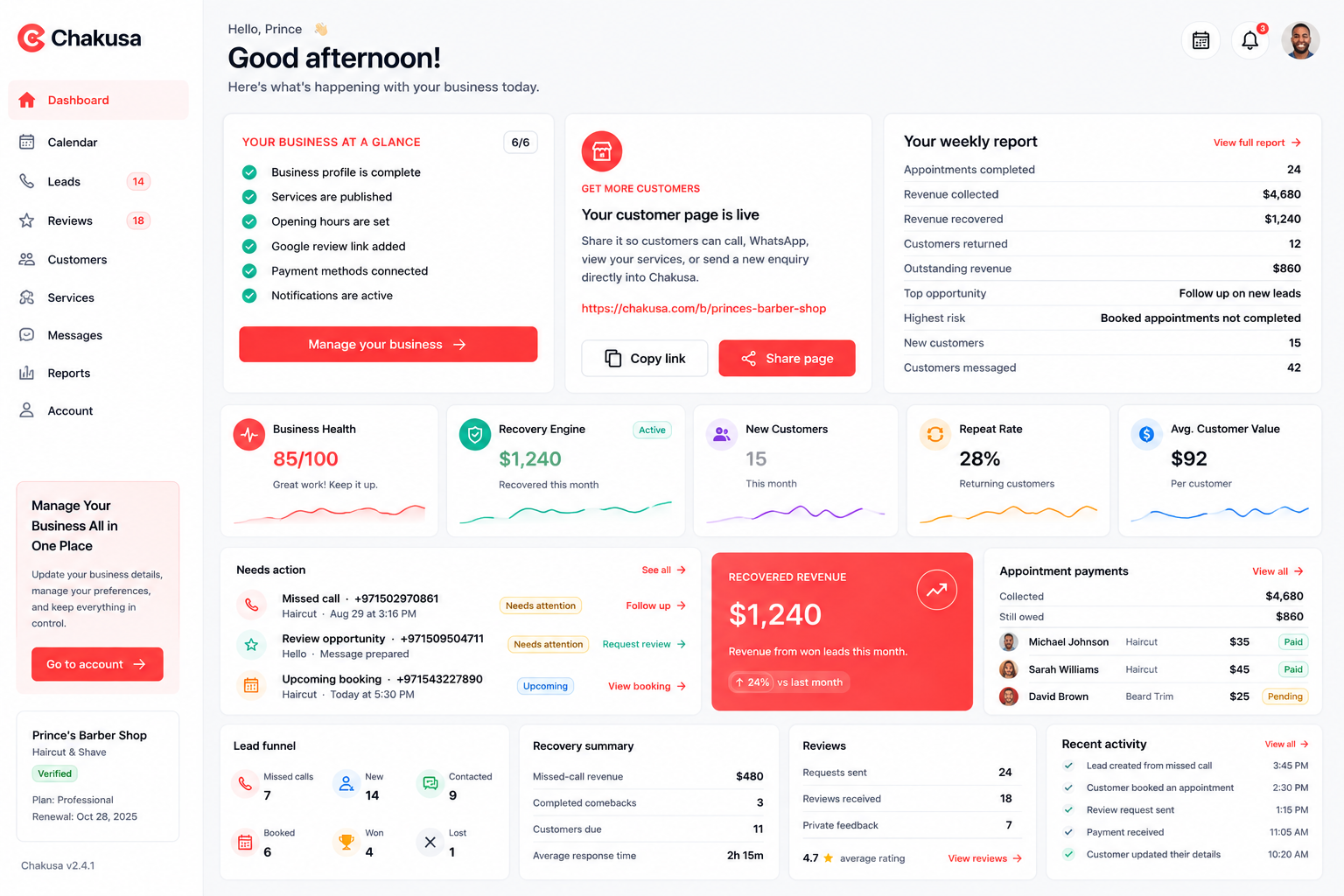
- New
- Contacted
- Booked
- Won
- Lost
How it works
From missed call to next step.
Five moments, one lead. Scroll through what actually happens inside the app.
- 01
The enquiry lands as a lead.
A message through your public Chakusa profile becomes a lead automatically. On Android, so can a missed call, once you turn on the Recovery Engine permission (number and time only, never recordings or contacts). A walk-in, WhatsApp message, or referral takes a few taps to add.
- Public profile: automatic
- Missed calls: Android
- Anything else: a few taps
- 02
It stays in front of you until you act.
Any lead still marked New is a customer who hasn't heard back yet. It sits in your attention view, oldest first, so a busy day doesn't quietly become a missed opportunity.
- Needs-attention view
- Oldest first
- Visible until acted on
- 03
Everything you need before you call back.
Service requested, urgency, when the call came in, estimated value, and, if they've been in before, their full history on one customer profile.
- Service & urgency
- Missed-call time
- Estimated value
- Customer history
- 04
Chakusa prepares the message. You send it.
Prepare message fills your own saved template (or an industry default) with the customer's name, your business name, and the service they asked about. Nothing goes out until you choose Copy, Open SMS, or Open WhatsApp.
- Your templates
- Copy / SMS / WhatsApp
- Never automatic
- 05
Move it forward, one deliberate tap at a time.
New, Contacted, Booked, Won, or Lost. Every change is a tap you make. Won leads get payment tracking; lost ones stay on record, not deleted.
- New → Contacted → Booked → Won
- Lost stays on record
Built for real service businesses
The same moment, across different trades.
Barber. A customer calls mid-cut. Chakusa keeps the missed call as a lead so it isn't just gone by closing time.
Salon. A client asks about a colour appointment while the front desk is with someone else. The enquiry waits as a lead, not a missed message.
Dentist. A treatment enquiry comes in between patients. It sits ready for the front desk to follow up between appointments.
Mechanic. A repair enquiry arrives while the workshop is mid-job. It's still there, with the requested service attached, once there's a moment to call back.
Cleaner. A quote request comes in during a job. It's logged as a lead instead of relying on someone remembering to call back later.
Spa. A customer asks about treatment availability outside opening hours. The enquiry is waiting, not lost overnight.
Connected capabilities
Enquiries connect to the rest of Chakusa.
Leads aren't an isolated sales inbox. Here's where they lead next.
- BookingsTurn a responded-to lead into a confirmed appointment.
- Customer managementEvery lead becomes part of one customer record over time.
- AutomationSee what's owner-reviewed today, and what automation adds when it's on.
- AI-assisted conversationsChakusa's AI-drafted replies work on the wider conversation, always with a human approving before anything sends.
- Business controlSee leads alongside bookings, reviews, and customers due back, in one view.
Enquiries & leads questions
How lead follow-up actually works.
What counts as a lead in Chakusa?
A missed call, a message through your public Chakusa profile, or any enquiry a team member adds by hand. Each one becomes a lead record with the customer's details and the service they asked about.
How does Chakusa help with missed customer enquiries?
A missed enquiry shows up as a lead that still needs a first response, surfaced in your attention view until you act on it. On Android, a missed call can be added automatically if you turn on the Recovery Engine permission; on iOS, and for any other channel, you add it in a few taps.
Can I see which leads need attention?
Yes. Any lead still marked New is a customer who hasn't heard back yet, and it stays visible until you contact them or mark it as lost.
Can I track a lead from new to booked?
Yes. A lead moves through New, Contacted, Booked, Won, or Lost, and every change is a deliberate tap, never automatic.
Does Chakusa reply to leads automatically?
No. Chakusa can prepare a message for you to review, but nothing sends until you choose Copy, Open SMS, or Open WhatsApp yourself.
Can Chakusa help prepare follow-up messages?
Yes. Prepare message fills in your own saved template, or an industry default if you haven't set one, with the customer's name, your business name, and the service they asked about. You still decide when and how to send it.
Can a lead become a customer record?
Yes. Once a lead is linked to a customer, every message, booking, review, and reminder for that person collects on one profile, so the next conversation isn't starting from nothing.
Can I search my leads?
Yes. You can search by customer name or service, and filter by New, Contacted, Booked, Won, or Lost.
Does Chakusa work for different service businesses?
Yes. Barbers, salons, dentists, mechanics, cleaners, spas, and similar local service businesses all use the same lead workflow, since a missed enquiry looks the same regardless of trade.
Start with your next enquiry
Give the next customer enquiry somewhere to land.
Set up your business and see a missed call or a new enquiry become a lead you can actually follow up on.