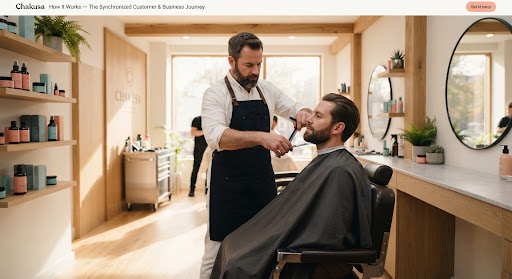
How Chakusa works

From the first enquiry to the next visit.

Chakusa connects customer discovery, enquiries, bookings, follow-ups, reviews, and repeat visits in one continuous workflow, so nothing about a customer relationship gets lost between steps.

  1. Discover
  2. Enquire
  3. Book
  4. Serve
  5. Review
  6. Return

The journey at a glance

One connected path, from setup to return visit.

Every stage below is covered in detail further down the page.

  1. Set up
  2. Get discovered
  3. Enquiry
  4. Respond
  5. Book
  6. Serve
  7. Follow up
  8. Review
  9. Return
01

Before the first customer

Give Chakusa what it needs to represent your business.

Set up the business profile, services, team, and preferences once. Chakusa uses this information to support every conversation, booking, and follow-up that comes after.

  • Business profile
  • Services
  • Team members
  • Notification preferences
  • Message templates

Next: With the business set up, customers can start finding it.

Chakusa productBusiness setup and accountProduction capture in preparation
02

Before the first conversation

Customers can find the business and understand what it offers.

A public business profile and marketplace listing let a customer see the services, understand the business, and start a conversation, before a booking journey even begins.

  • Public business profile
  • Marketplace listing
  • Service categories
  • Reviews visible to customers

Next: Interest turns into an enquiry the business can see.

Chakusa productMarketplace and business profileProduction capture in preparation
03

The moment interest arrives

An enquiry becomes something the business can see and act on.

A missed call or a new conversation becomes a lead with customer details and service context attached, flagged for attention instead of sitting unseen.

  • Leads from missed calls and enquiries
  • Customer details captured
  • Needs-attention flagging
  • Service context attached

Next: The business responds while the enquiry is still fresh.

Chakusa productLeads and enquiriesProduction capture in preparation
04

Keep the conversation moving

Prepare a response without losing the customer's context.

Chakusa can prepare a response using the business's own information, keeping the conversation and customer context together. A team member reviews and sends it, or takes the conversation over completely at any point.

  • Prepared responses
  • AI-assisted drafting, owner-reviewed
  • Full customer context
  • Human takeover, always available

Next: A clear conversation leads to a confirmed booking.

Chakusa Response and follow-up actions product screen
05

From conversation to appointment

Turn interest into a confirmed visit.

Services, availability, and the team's calendar come together so a conversation becomes a clear appointment, with confirmation and reminders ahead of the visit.

  • Services and availability
  • Calendar and scheduling
  • Confirmation
  • Rescheduling and cancellation

Next: A confirmed booking starts the service itself.

06

Where Chakusa steps back

The business does the work. Chakusa keeps the relationship around it.

The barber cuts hair. The dentist treats the patient. The mechanic repairs the car. The cleaner completes the job. Chakusa doesn't replace that work, it keeps the conversation, the booking, and the customer's history connected to it, before and after.

07

After the visit

The relationship doesn't end when the appointment does.

Every enquiry, booking, note, and outcome collects on one customer record, so a follow-up message or the next conversation starts with context instead of a blank slate.

  • Customer record and history
  • Prepared follow-up messages
  • Reminders
  • Notes and preferences

Next: A fresh visit is the right moment to ask for a review.

Chakusa productCustomer records and historyProduction capture in preparation
08

Ask, always

Request a review while the visit is still fresh.

Chakusa helps prepare a review request and collects private feedback alongside it, for every visit, not only the ones that went well. There is no gating: a review request is never withheld based on how the visit is expected to go.

  • Prepared review requests
  • Private feedback, collected in parallel
  • Request status tracking
  • No sentiment gating

Next: Feedback and history feed into knowing when the customer is due back.

Chakusa productReview and feedback requestsProduction capture in preparation
09

Bring them back

Know when a customer may be ready to return.

Chakusa surfaces customers who haven't rebooked in the expected window, so a reminder can go out while they're still a returning customer, not after they've quietly become a former one. Chakusa cannot promise a customer will rebook, it can only help the business notice the opportunity.

  • Customers due back
  • Comeback reminders
  • Repeat visit history
  • No guaranteed outcomes

Next: A returning customer restarts the journey from enquiry or booking.

Chakusa productCustomers due backProduction capture in preparation

Every step, one view

See what needs your attention, in one place.

Leads, bookings, reviews, and customers due back all surface in one working view, so the team can act on what's actually happening instead of checking five different tools.

  • Total customers and new customers this month
  • Review requests sent and received
  • Private feedback
  • Recent activity across the whole journey
Chakusa Business dashboard and recent activity

Not a funnel, a loop

The relationship keeps going after the first visit.

A returning customer starts the journey again, at an enquiry, a booking, or straight into service. That's why Chakusa is built as a loop the relationship moves through, not a funnel that ends at the sale.

  1. Return customer
  2. Next enquiry or booking
  3. Service
  4. Follow-up
  5. Return again

Illustrative example

One missed call, followed through.

A barbershop misses a call. Chakusa surfaces it as a lead that needs attention. The barber follows up, the customer books a haircut, and the appointment is completed. A review request goes out while the visit is fresh. Weeks later, Chakusa flags that the customer is due for another cut, and the business reaches out again.

This is an illustrative walkthrough of how the product connects, not a measured customer result.

How it works, in detail

Common questions about the process.

How do I get started with Chakusa?

Set up your business profile, services, and team, then customers can start finding and contacting the business through Chakusa.

How do customer enquiries enter Chakusa?

Missed calls and enquiries become leads with the customer's details and service context attached, flagged for attention.

Can customers book appointments through Chakusa?

Yes. Services, availability, and the calendar connect an enquiry to a confirmed appointment, with reminders ahead of the visit.

Does Chakusa send messages automatically?

Chakusa can prepare responses, reminders, and follow-ups using the business's information. Automation is owner-reviewed, and a team member can take over any conversation at any point.

How do review requests work?

Chakusa helps prepare a review request while the visit is still fresh and collects private feedback alongside it, for every visit. Requests are never withheld based on how a visit is expected to go.

How does Chakusa know when a customer may be due back?

Chakusa tracks each customer's visit history and surfaces a reminder when they haven't rebooked in the expected window. It cannot guarantee a customer returns.

Can I see everything that needs attention in one place?

Yes. The dashboard brings leads, bookings, reviews, and customers due back into one working view.

Does Chakusa work for different service businesses?

Yes. Barbers, salons, dentists, mechanics, cleaners, photographers, and similar local service businesses that rely on repeat customers.

Start the journey

Keep the customer relationship moving, from the first enquiry to the next visit.

Set up your business and see the journey run for your first customer.